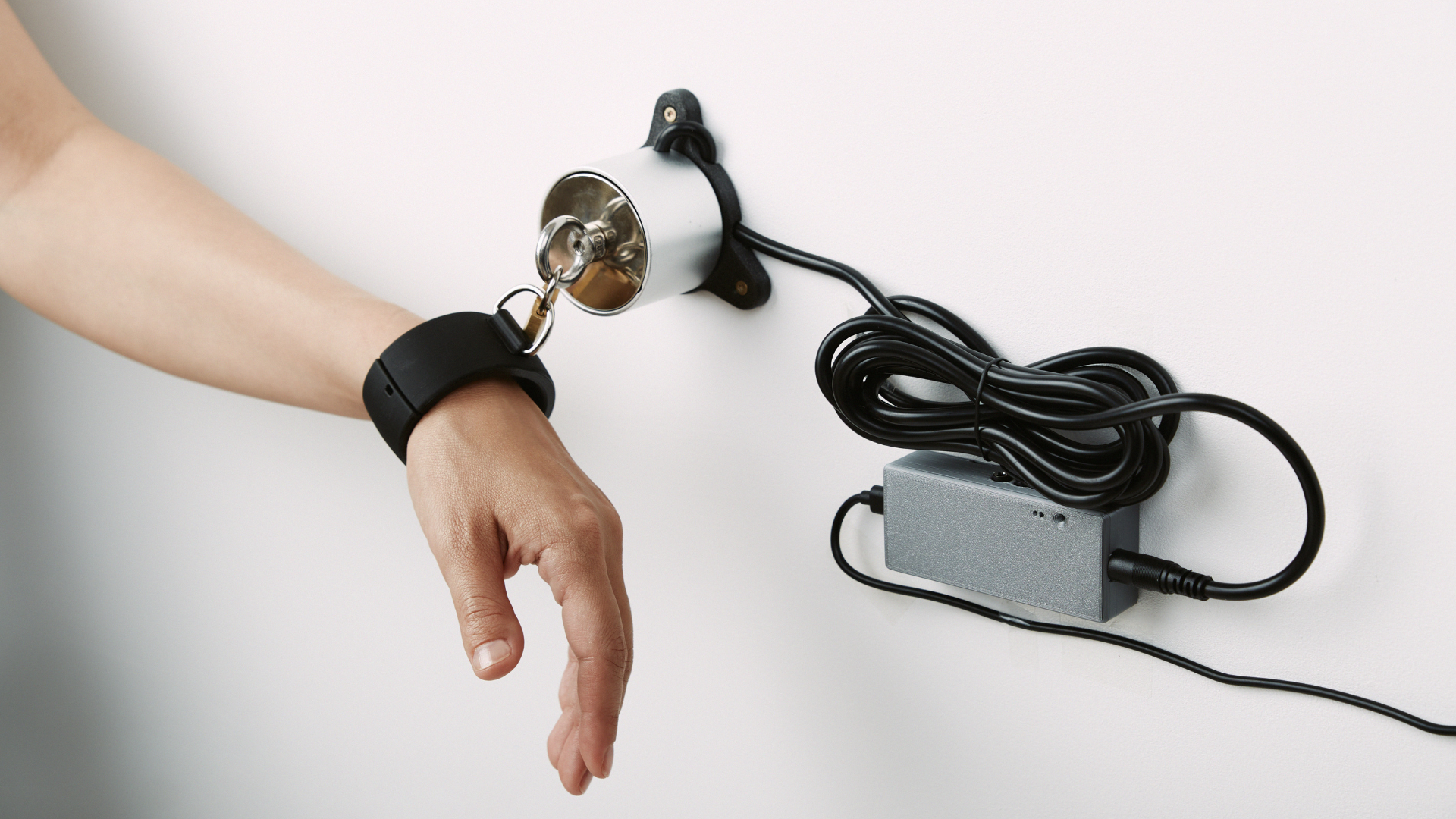
MagBound® Time Lock FAQ: Your Tech Guide to Safe & Smooth Solo Play
Manuals & Downloads
Pick the manual that matches your timer. Not sure? V2 shows a circular clock, V1 a plain countdown.
- Smart Timer V2 — shipped from May 2026, or after the €19.90 software upgrade: MagBound Instructions V2 (2026, DE/EN, PDF)
- Smart Timer V1 — shipped before May 2026, not upgraded: MagBound Instructions V1 (2024, DE/EN, PDF)
Both manuals stay available permanently. If you own a V1 timer and do not want to upgrade, the 2024 manual covers everything — nothing about your device changes.
Replacement Parts: What Can Be Ordered Separately?
- MagBound® lock (sold individually, not as a set)
- MagBound® USB cable (converter cable or standard USB-C)
- Replacement anchor disks (eyelet plate)
Essential Safety & How MagBound® Actually Works
- MagBound® is “fail-safe”:The lock stays closed only as long as it receives power. If the power supply fails (for example, if the powerbank runs out), the lock will automatically open. This is a critical safety feature.
- Always use a powerbank: For real safety, the lock must be powered continuously by a powerbank and cable during use. Do not use a common wall plug for bondage play - the fail-safe only works with battery power!
-
What happens if I pull the cable? As power is disconnected the lock will open. To prevent this from happening "accidentally" during your session, the right setup is important.
- Check out this YouTube video for a demonstration of a solid desk setup.
- Tip: Form a loop at the end of the cable and secure it out of reach with a cable tie. You can also run the cable through a chain or tie it somewhere secure, the cable is sturdy enough not to break by hand.
Troubleshooting: Common Problems & Solutions
1. The Lock Won’t Close - What Should I Do?
- Check power supply: Test the setup first using a USB wall plug (for testing only, not for bondage use, as fail-safe is disabled!).
- Test your USB cable: If you have a timer with a USB-C connection, try a standard USB-C cable. Older setups used a USB converter cable to convert 5V to 8.2V for the lock, but these cables can be unreliable.
-
If the lock still won’t close: The lock may be defective, please send it in for repair.
- If within one year of purchase: free repair.
- If between one and two years: support will review the case (e.g. cable condition); the repair may be free or charged (approx. €40–€60).
2. Retro Timer & Smart Timer: FAQs
Retro Timer
- Random mode: Double click for 30–100%, triple click for 50–100% of the time range. Details in the V2 manual (2026) on p. 15, or in the V1 manual (2024) on p. 24–25.
- Strange display or error symbols: The device may be defective, please send it in for repair.
Smart Timer
Smart Timer Remote Connect (V2) is being sold as stock software since May 2026. It features a modern user interface with a circular clock. If you see a simple countdown, you have V1.
Upgrading from V1 to V2
Which version do I have? V2 shows a circular clock. A plain countdown means V1.
Can my timer run V2? Yes — every Smart Timer unit is compatible. What differs is how updates get installed, and that depends on when you bought the hardware, not on the software version.
- Hardware bought September 2024 or later: all V2 features included, updates arrive over the air automatically.
- Hardware bought before September 2024 (Gen 1): all V2 features included, but every update has to be installed manually via Smart Timer Update (see the V2 manual, p. 24).
How to get it
- Software upgrade, €19.90: Remote Connect Software Update. You receive the download and step-by-step instructions by email.
- New V2 hardware, 30 % off for V1 owners: €76.30 instead of €109. Message us with your original order number for a personal discount code. Relevant mainly for pre-September-2024 units that should get automatic updates.
Do I need an account? Only for WiFi mode and Remote Connect. Standalone mode works without an account and without your timer talking to our servers.
Note: after any update all saved access data is deleted and the timer returns to standalone mode. Have your WiFi credentials ready.
It is not an app and there is no APK to install. The Smart Timer runs its own web interface, opened in the browser on your phone, tablet or computer.
Smart Timer Remote Connect V2 (after April 2026)
-
Two modes:
- Standalone mode: The timer creates its own WiFi network. You connect to it, but will lose your internet while connected.
- WiFi mode: First connect via standalone, then enter your home WiFi details. After reboot, you will see a device ID. After creating an account and inputting the ID, you can connect to your smart timer or give access to other persons.

-
Connection problems:
- Standalone: Double-check your password and WiFi connection, or try another browser/device.
- WiFi mode: If the blue LED is steady and the “Smart Timer…” WiFi doesn’t show up, the timer is likely connected to your network. If it restarts its own WiFi, your access data was incorrect or your WiFi password had problematic special characters.
-
Can't find device:
- You need to know your device-ID and link it to your account. If you missed the screen, push the reset button. The device will enter into standalone mode again, so you can log into its wifi.
- You can retrieve the device-ID here: Settings → About → Device-ID
- Repeat the WiFi-mode setup steps above.
- I don't want to create an account: You can still use Standalone mode without the device communicating with our servers. If you want to use WiFi mode without an account, please downgrade to V1.
-
Device already registered — error “Resource already exists”:
- A device can only be registered to a single account, for security reasons. To use it with another account, unregister it from the old one first.
- Log into your old account and hit unregister.
- If you no longer have access to the old account, message us with your device ID and order number.
-
Black screen when opening the dashboard on a computer:
- Try a different browser first, and open the dashboard in a private window to rule out a cached session.
- If it still stays black, send us the browser and operating system you are using — we are actively tracking this one.
Smart Timer V1 (sold before May 2026)
-
Two modes:
- Standalone mode: The timer creates its own WiFi network. You connect to it, but will lose your internet while connected.
- WiFi mode: First connect via standalone, then enter your home WiFi details. After reboot, the timer connects to your network. You need the IP address your router assigns (see the V1 manual, p. 18–19).
- How to find the IP address: Check your router’s “connected devices” list, or use the Windows network overview and “Open device webpage”.
-
Connection problems:
- Standalone: Double-check your password and WiFi connection, or try another browser/device.
- WiFi mode: If the blue LED is steady and the “Smart Timer…” WiFi doesn’t show up, the timer is likely connected to your network. If it restarts its own WiFi, your access data was incorrect or your WiFi password had problematic special characters.
- Timer resets itself: Usually solved by a firmware update.
-
How to update:
- For older timers (before 2025): to get the latest updates, contact support by email.
- Upload the firmware file first, wait for restart, then upload the filesystem file (see the V1 manual, p. 20).
- Note: After the update, all saved access data is deleted and the timer returns to standalone mode.
- You can download the latest update here: Smart Timer Update
- Update does not work: If the update process does not work, try troubleshooting the connecting input:
|
|
|
|
|
|
|
|
|
|
|
|
3. Dual Adapter Issues
-
“Doesn’t work?”
- Double-check your setup using the product images for reference.
- Test both USB adapters and the timer separately, then together.
- Both powerbanks must be turned on (some have a power button).
Key Safety Reminders
- Always use a powerbank for bondage solo play, it’s the only way to ensure fail-safe works.
- Regularly check all cables and connections before use.
- Never use MagBound® to support body weight or in any way that could cause injury when it falls.
- Never use the lock on your neck, especially when alone.
- Backup/emergency release is a must for all experimental setups, always have a way out.
- For more tips: See our YouTube channel or join our Discord.